| Release Date | December 15, 2015 |
| Product(s) Affected | Kangaroo Mobile Desktop |
| Operating System | Microsoft Windows 10 |
| Device(s) Affected | Intel Wireless Bluetooth |
|
NOTICE: The information in this document, including products and software versions, is current as of the Release Date. This document is subject to change without notice. |
|
|
Problem Description The integrated Intel Wireless Bluetooth device may experience difficulty discovering, pairing or remaining paired with a variety of Bluetooth devices and accessories.
Reported behaviors include:
|
|
|
Solution/Workaround Intel has released new driver (17.1.1532.1814) that is intended to resolve a number of connectivity problems reported with its Wireless Bluetooth series of devices.
There are three different methods for obtaining this driver:
Note: Installing the driver via Device Manager is the recommended method, as there's no need to download a driver installation package, and consumes considerably less storage space. |
|
|
Installation via Device Manager
|
|
|
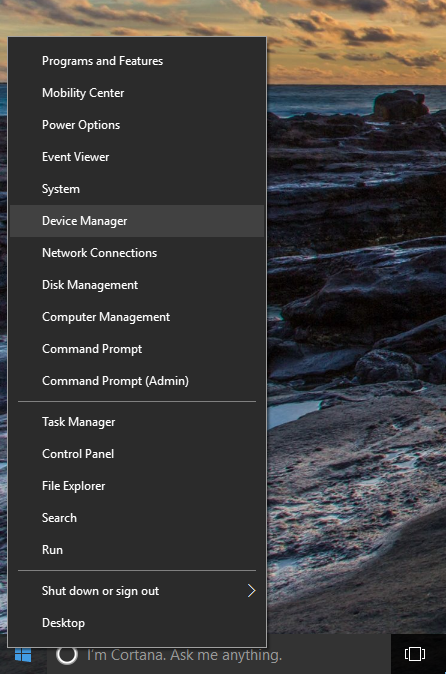
Launch Device Manager |
|
|
|
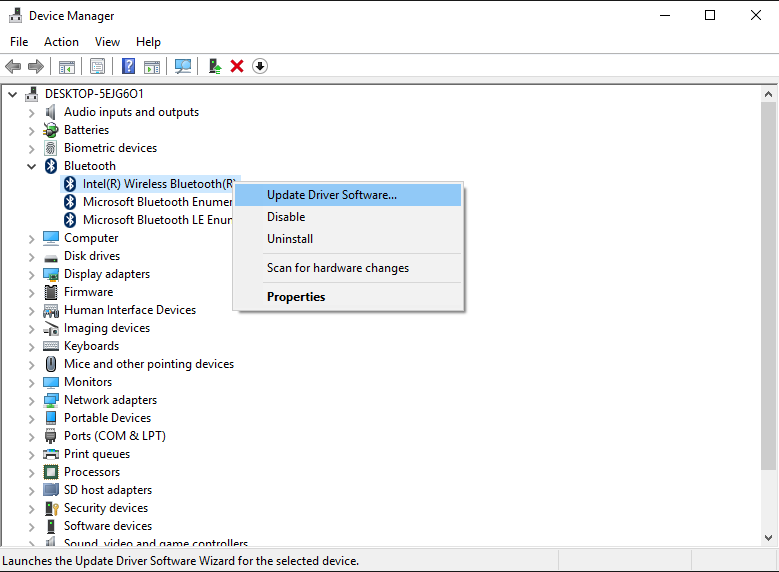
| Activate the Windows Driver Update Applet | |
Device Manager > Bluetooth > Intel Wireless Bluetooth > Update Driver Software
|
|
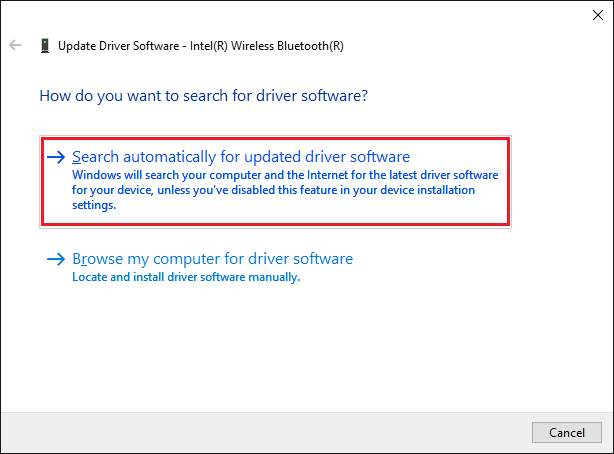
| Locate & Install the Device Driver Software | |
|
|
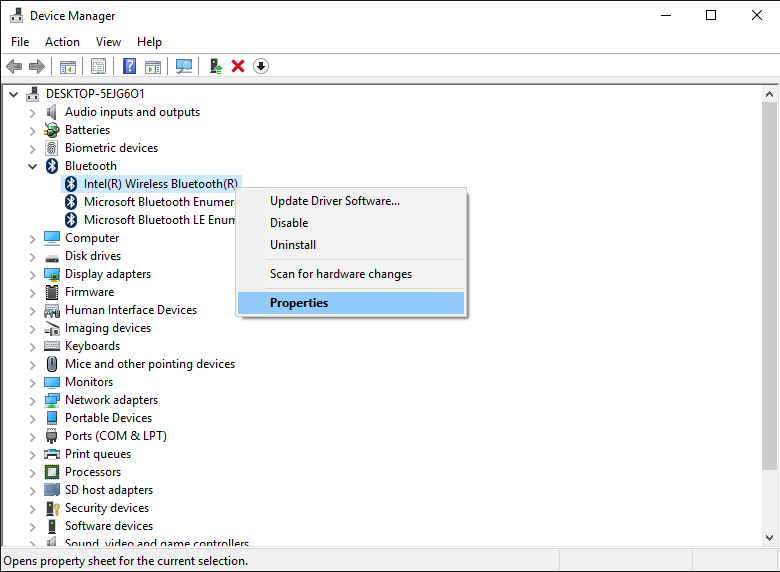
| Verify Successful Installation of the Device Driver Software | |
|
|


Comments